Anatomy of a Fake PDF Editor : How AppSuite's TamperedChef Malware Backdoor Steals Browser Secrets 🔐
AppSuite's TemperedChef PDF malware is wreaking havoc in the world of PDF editors.
- trojan
- chrome
- edge
- credential theft
Introduction
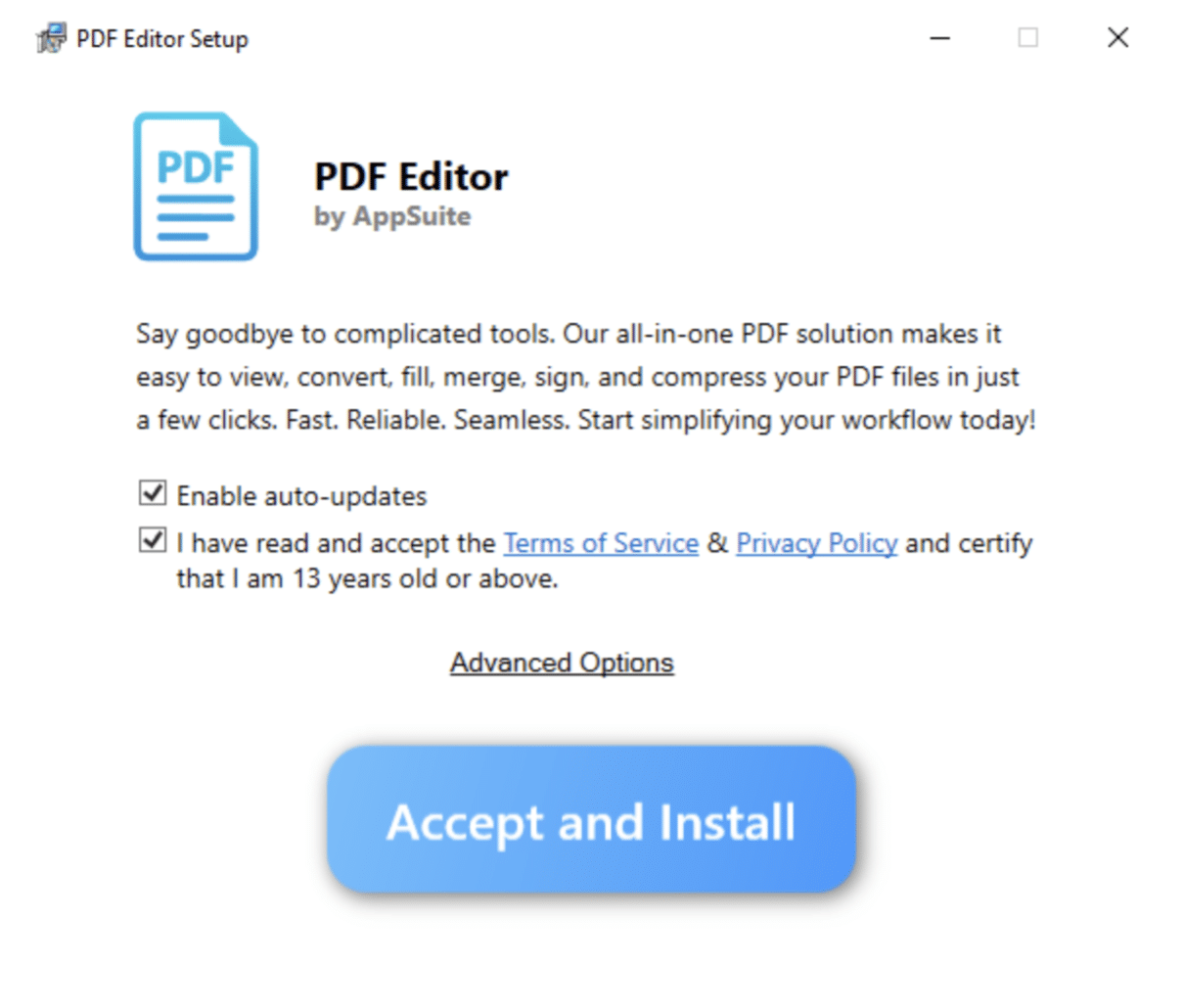
Today's deep dive is a malware wreaking havoc in the world of PDF editors. Malware families often disguise themselves as harmless productivity tools most of the time, and PDF utilities are a favorite cover.
In this analysis, I will examine a kind of trojanized “PDF Editor” that bundles the TamperedChef backdoor. Far from being just a fake document tool, this malware abuses Windows’ DPAPI to extract Chromium’s encryption keys, terminates browser processes to unlock sensitive files, and probes the system for security software before attempting data theft.
What follows is a forensic breakdown of its behavior, the forensic traces it leaves behind, and the risks it poses to users who unknowingly install it.
Records shows that PDF Editor has first been submitted to Virustotal on May 15th. I've put the link in the IOCs table below.
📌 Behavior Summary
-
It invoked DPAPI decryption (UnprotectData) and produced 32 bytes of plaintext, highly consistent with decrypting Chromium’s master AES key used to unlock stored passwords, cookies, and credit card data.
-
It queried for running browsers (Chrome/Edge) and killed Edge repeatedly, a typical step to release file locks on browser SQLite databases so they can be copied/read.
-
It accessed the Chromium “Web Data” database (autofill profiles and encrypted credit cards).
-
It ran a broad set of registry queries against AV/EDR vendors (Bitdefender, G DATA, Fortinet, Kaspersky, CheckPoint, Zillya, etc.) consistent with security software discovery and potential pre-uninstall preparation.
Here's a breakdown from a forensic/security-analysis perspective:
1. Initial malware execution
PDF Editor.exe "PDF Editor" --cm=--partialupdate
This is the first suspicious launch of the trojanized application. The --cm=--partialupdate flag is a fake update-like argument; these “config module” arguments are often used by malware loaders to trigger a specific execution branch.
2. Chromium process mimicry
PDF Editor.exe --type=gpu-process …
PDF Editor.exe --type=utility --utility-sub-type=network.mojom.NetworkService …
These mimic normal Chromium/Electron sub-processes: - GPU process (rendering/compositing). - NetworkService utility (handles HTTP/S traffic).
To casual inspection, this (for now) looks like a legitimate Chromium-based app. But here it’s camouflage : the malware spawns them deliberately to appear normal.
3. Process discovery (via WMI / PowerShell)
cmd.exe /c powershell.exe Get-WmiObject Win32_Process | Where-Object { $_.Name -eq 'chrome.exe' }
- Same for msedge.exe → This is process enumeration. The malware is checking whether Chrome or Edge is running. → It uses WMI (Win32_Process), which maps directly to MITRE ATT&CK T1047: Windows Management Instrumentation.
4. Security software reconnaissance
A very clever trick is TamperedChef’s approach to antivirus evasion reconnaissance. Instead of just blindly trying to disable defenses, which is a move that would almost certainly raise alarms, it queries the Windows registry for the uninstall strings of dozens of well-known security products.
cmd.exe /d /s /c "reg query "HKLM\Software\Microsoft\Windows\CurrentVersion\Run\Bitdefender" /v "UninstallString""

cmd.exe /d /s /c "reg query "HKLM\Software\Microsoft\Windows\CurrentVersion\Uninstall\Bitdefender" /v "UninstallString""

cmd.exe /d /s /c "reg query "HKLM\Software\Microsoft\Windows\CurrentVersion\Uninstall\{96A251BD-7532-4CF9-B87D-158FC685DBC4}" /v "UninstallString""

cmd.exe /d /s /c "reg query "HKLM\Software\Wow6432Node\Microsoft\Windows\CurrentVersion\Uninstall\REC" /v "UninstallString""

cmd.exe /d /s /c "reg query "HKLM\Software\Wow6432Node\Microsoft\Windows\CurrentVersion\Uninstall\G DATA ANTIVIRUS" /v "UninstallString""

cmd.exe /d /s /c "reg query "HKLM\Software\Wow6432Node\Microsoft\Windows\CurrentVersion\Uninstall\{4073CD02-7996-48D7-AFDF-297676C27CA6}" /v "UninstallString""

cmd.exe /d /s /c "reg query "HKLM\Software\Classes\G DATA ANTIVIRUS""

cmd.exe /d /s /c "reg query "HKCU\Software\CheckPoint\ZANG""

cmd.exe /d /s /c "reg query "HKCU\Software\KasperskyLabSetup""

cmd.exe /d /s /c "reg query "HKLM\Software\Fortinet""

cmd.exe /d /s /c "reg query "HKCU\Software\Zillya\Zillya Antivirus""
Here is a list of most antivirus and EDR vendors I've identified so far :
- Bitdefender
- G DATA
- Fortinet
- Kaspersky
- CheckPoint
- Zillya
- EpiBrowser (niche security/browser tool, had to google this one)
This gives the malware a catalog of the exact commands needed to silently remove each AV or EDR agent using the vendor’s own installer framework. By leveraging legitimate uninstall routines rather than blunt-force tampering, attackers position themselves to strip protections cleanly and quietly in future stages of an attack. It’s a subtle but highly effective way of turning the defenders’ own infrastructure against them.
All queries focus on UninstallString values, which is a classic pre-uninstall mapping behavior. Malware often collects these strings to later attempt silent removal of defenses using msiexec /x or vendor-specific uninstallers.
MITRE mapping: T1518.001: Security Software Discovery and T1012: Query Registry.
5. Browser credential/data theft
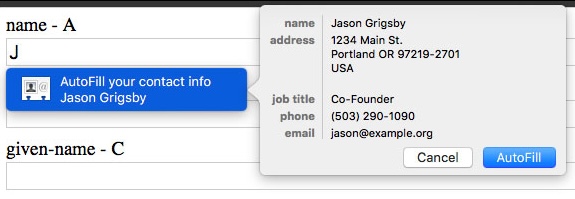
One of the most critical parts of this malware execution was direct access to Chromium’s profile databases, specifically the Web Data file. This file, stored in the user’s browser profile directory, is a SQLite database that contains autofill information such as names, addresses, phone numbers, emails, and most importantly credit card details.
Although the sensitive fields are stored encrypted, the malware had already obtained the Chromium master AES key by invoking Windows’ DPAPI CryptUnprotectData function in the context of the logged-in user. I've wrote below how the malware managed to get the Chromium Master Key. That key allows offline decryption of any protected entries.
Once Edge processes were terminated with taskkill (have a look at 6. Browser process termination below), file locks on the SQLite databases were released, and PDF Editor.exe was able to open the Web Data file with full read access (FILE_READ_DATA, READ_CONTROL, and related privileges).
At that point, the malware could enumerate autofill entries and extract encrypted credit card numbers, then decrypt them using the recovered master key. This combination of DPAPI key theft and direct database access effectively bypasses browser protections, exposing saved credentials, cookies, payment details, and PII.
- Observation: PDF Editor.exe accessed browser Web Data file
- Access mode:
FILE_READ_DATA,FILE_READ_EA,FILE_READ_ATTRIBUTES,READ_CONTROL,SYNCHRONIZE. - Target: Chromium’s Web Data SQLite DB (autofill + credit cards).
- Combined with earlier DPAPI UnprotectData call (from the logs), this is credential theft in progress.
6. Browser process termination
The real ingenuity in TamperedChef lies in how it handles browser locks (in my opinion). Chromium-based browsers like Chrome and Edge keep their SQLite databases (Login Data, Cookies, Web Data) open and locked while running, which prevents other processes from reading them cleanly. Rather than trying to bypass those locks or risk corrupting its copy, the malware simply kills the browser processes first. By doing so, it guarantees exclusive access to the files and can immediately pair them with the freshly decrypted master AES key from DPAPI. It’s such a simple trick but is amazingly effective : no exotic exploits needed, just force the application to close and then harvest its secrets in a fully consistent state.
cmd.exe /d /s /c "taskkill /IM msedge.exe"
- taskkill /IM msedge.exe (several times, ending with /F)
This ensures Edge is not locking its SQLite files (Login Data, Cookies, Web Data), allowing the malware to read them without corruption.
MITRE mapping: T1562.001: Impair Defenses – Kill Processes.
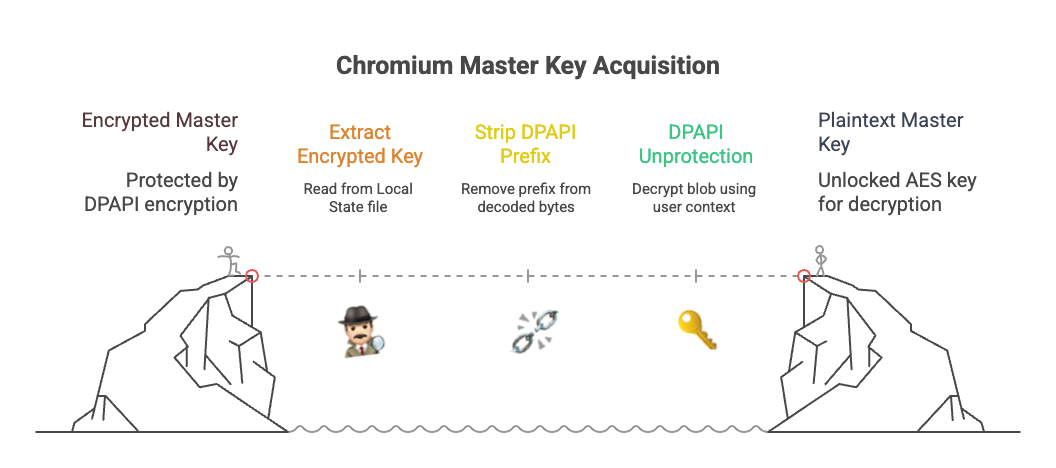
How did the malware managed to get the Chromium Master Key?
-
Where the key lives
- Chromium stores an AES-256 “master key” in the JSON file:
- Chrome:
%LOCALAPPDATA%\Google\Chrome\User Data\Local State - Edge:
%LOCALAPPDATA%\Microsoft\Edge\User Data\Local State
- Chrome:
- JSON path:
os_crypt.encrypted_key - Value: base64 of a blob that starts with "DPAPI" followed by DPAPI-encrypted key material.
- Chromium stores an AES-256 “master key” in the JSON file:
-
How the malware gets the raw key (the 32 bytes we saw)
- Read Local State, extract os_crypt.encrypted_key.
- Strip the "DPAPI" prefix from the decoded bytes.
- Call CryptUnprotectData (DPAPI Unprotect) in the same user context.
- Windows decrypts the blob using the user’s DPAPI master keys (derived from the user’s logon secrets and protected by the system).
- Because the user is currently logged in, LSASS has what it needs; no password prompt is needed.
- Return value is a 32-byte AES key → exactly what your telemetry logged as “plaintext data size 32”.
-
What that AES key unlocks
- Chromium encrypts secrets in SQLite DBs with this key:
- Login Data: saved passwords (AES-GCM records)
- Cookies: cookies / session tokens
- Web Data: autofill + credit card numbers (encrypted fields)
- With the master key, the malware can decrypt those records offline after copying the DBs. That’s why it killed msedge.exe: to release SQLite file locks so it could read/copy cleanly.
- Chromium encrypts secrets in SQLite DBs with this key:
-
Why DPAPI allows this
- DPAPI’s purpose is at-rest protection and cross-user isolation (e.g., if someone steals the files or another account tries to read them).
- It is not designed to stop a program running as you from accessing your protected data. From Windows’ perspective, the malware is the user.
IOCs
| Type | Value |
|---|---|
| File Path | C:\Users\raphael\PDFEditor\PDF Editor.exe |
| File Hash SHA1 | 2ecd25269173890e04fe00ea23a585e4f0a206ad |
| File Hash SHA256 | cb15e1ec1a472631c53378d54f2043ba57586e3a28329c9dbf40cb69d7c10d2c |
| Process Cmd | "PDF Editor.exe" --cm=--partialupdate |
| Process Cmd | "PDF Editor.exe" --type=gpu-process |
| Process Cmd | "PDF Editor.exe" --type=utility --utility-sub-type=network.mojom.NetworkService |
| Registry Query | HKLM\Software\Microsoft\Windows\CurrentVersion\Run\Bitdefender\UninstallString |
| Registry Query | HKLM\Software\Microsoft\Windows\CurrentVersion\Uninstall\Bitdefender |
| Registry Query | HKLM\Software\Wow6432Node\Microsoft\Windows\CurrentVersion\Uninstall\G DATA ANTIVIRUS |
| Registry Query | HKCU\Software\KasperskyLabSetup |
| Registry Query | HKLM\Software\Fortinet |
| Registry Query | HKCU\Software\CheckPoint\ZANG |
| Registry Query | HKCU\Software\Zillya\Zillya Antivirus |
| File Access | %LOCALAPPDATA%\Google\Chrome\User Data\Default\Web Data |
| File Access | %LOCALAPPDATA%\Microsoft\Edge\User Data\Default\Web Data |
| Process Cmd | taskkill /IM msedge.exe |
| Process Cmd | taskkill /F /IM msedge.exe |
| Technique | CryptUnprotectData returning 32-byte AES key |
| VirusTotal | Link here |
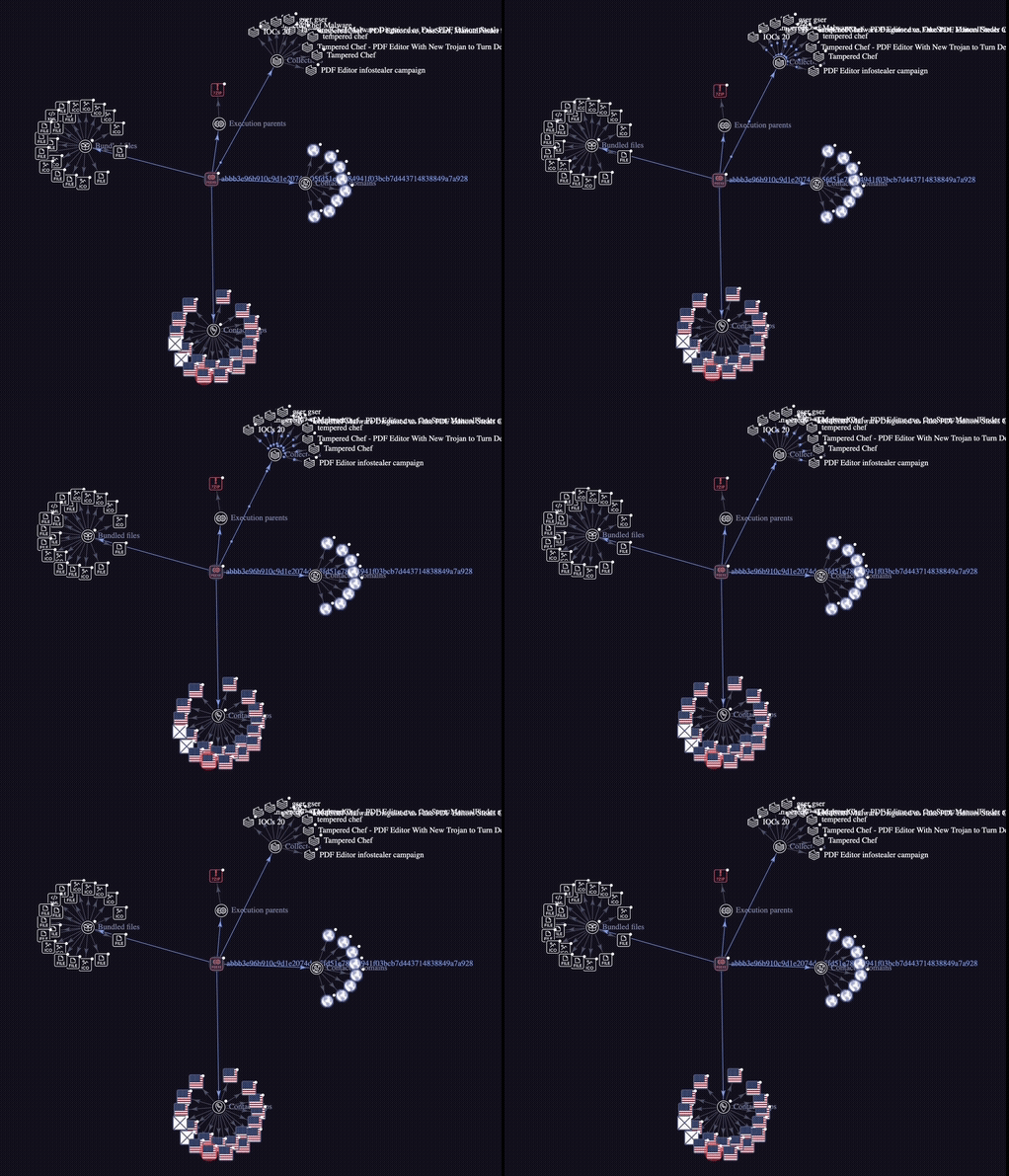
Threat Graph
(not actually useful I just thought it was cool)
Full Execution History
For those interested in the full execution history :
svchost.exe -k netsvcs -p -s Schedule

PDF Editor.exe "PDF Editor" --cm=--partialupdate

PDF Editor.exe --type=gpu-process --user-data-dir="C:\Users\richard.sommer\AppData\Roaming\PDF Editor" --gpu-preferences=WAAAAAAAAADgAAAMAAAAAAAAAAAAAAAAAABgAAAAAAA4AAAAAAAAAAAAAAAEAAAAAAAAAAAAAAAAAAAAAAAAAAAAAAAAAAAAGAAAAAAAAAAYAAAAAAAAAAgAAAAAAAAACAAAAAAAAAAIAAAAAAAAAA== --mojo-platform-channel-handle=1752 --field-trial-handle=1756,i,3535361571167973219,4517279912286918383,262144 --enable-features=kWebSQLAccess --disable-features=SpareRendererForSitePerProcess,WinDelaySpellcheckServiceInit,WinRetrieveSuggestionsOnlyOnDemand --variations-seed-version /prefetch:2

cmd.exe /d /s /c "powershell.exe "Get-WmiObject Win32_Process | Where-Object { $_.Name -eq 'chrome.exe'  }""

powershell.exe  "Get-WmiObject Win32_Process | Where-Object { $_.Name -eq 'chrome.exe'  }"

Observation : WMI Query select * from Win32_Process and also WMI Class Win32_Process

PDF Editor.exe --type=utility --utility-sub-type=network.mojom.NetworkService --lang=nl --service-sandbox-type=none --user-data-dir="C:\Users\richard.sommer\AppData\Roaming\PDF Editor" --mojo-platform-channel-handle=2344 --field-trial-handle=1756,i,3535361571167973219,4517279912286918383,262144 --enable-features=kWebSQLAccess --disable-features=SpareRendererForSitePerProcess,WinDelaySpellcheckServiceInit,WinRetrieveSuggestionsOnlyOnDemand --variations-seed-version /prefetch:8

cmd.exe /d /s /c "powershell.exe "Get-WmiObject Win32_Process | Where-Object { $_.Name -eq 'msedge.exe'  }""

powershell.exe  "Get-WmiObject Win32_Process | Where-Object { $_.Name -eq 'msedge.exe'  }"

cmd.exe /d /s /c "reg query "HKLM\Software\Microsoft\Windows\CurrentVersion\Run\Bitdefender" /v "UninstallString""

cmd.exe /d /s /c "reg query "HKLM\Software\Microsoft\Windows\CurrentVersion\Uninstall\Bitdefender" /v "UninstallString""

cmd.exe /d /s /c "reg query "HKLM\Software\Microsoft\Windows\CurrentVersion\Uninstall\{96A251BD-7532-4CF9-B87D-158FC685DBC4}" /v "UninstallString""

cmd.exe /d /s /c "reg query "HKLM\Software\Wow6432Node\Microsoft\Windows\CurrentVersion\Uninstall\REC" /v "UninstallString""

cmd.exe /d /s /c "reg query "HKLM\Software\Wow6432Node\Microsoft\Windows\CurrentVersion\Uninstall\G DATA ANTIVIRUS" /v "UninstallString""

cmd.exe /d /s /c "reg query "HKLM\Software\Wow6432Node\Microsoft\Windows\CurrentVersion\Uninstall\{4073CD02-7996-48D7-AFDF-297676C27CA6}" /v "UninstallString""

cmd.exe /d /s /c "reg query "HKLM\Software\Classes\G DATA ANTIVIRUS""

cmd.exe /d /s /c "reg query "HKCU\Software\CheckPoint\ZANG""

cmd.exe /d /s /c "reg query "HKCU\Software\KasperskyLabSetup""

cmd.exe /d /s /c "reg query "HKLM\Software\Fortinet""

cmd.exe /d /s /c "reg query "HKCU\Software\Zillya\Zillya Antivirus""

cmd.exe /d /s /c "reg query "HKCU\Software\Microsoft\Windows\CurrentVersion\Uninstall\EPISoftware EpiBrowser" /v "UninstallString""

Observation : PDF Editor.exe accessed browser web data file Web Data. Desired access : FILE_READ_DATA, FILE_READ_EA, FILE_READ_ATTRIBUTES, READ_CONTROL, SYNCHRONIZE

cmd.exe /d /s /c "taskkill /IM msedge.exe"

cmd.exe /d /s /c "taskkill /IM msedge.exe"

cmd.exe /d /s /c "taskkill /IM msedge.exe"

cmd.exe /d /s /c "taskkill /F /IM msedge.exe"